Everything You Need to Coach Better
Design plays, build playbooks, plan practices, and develop players — all in one connected workspace.
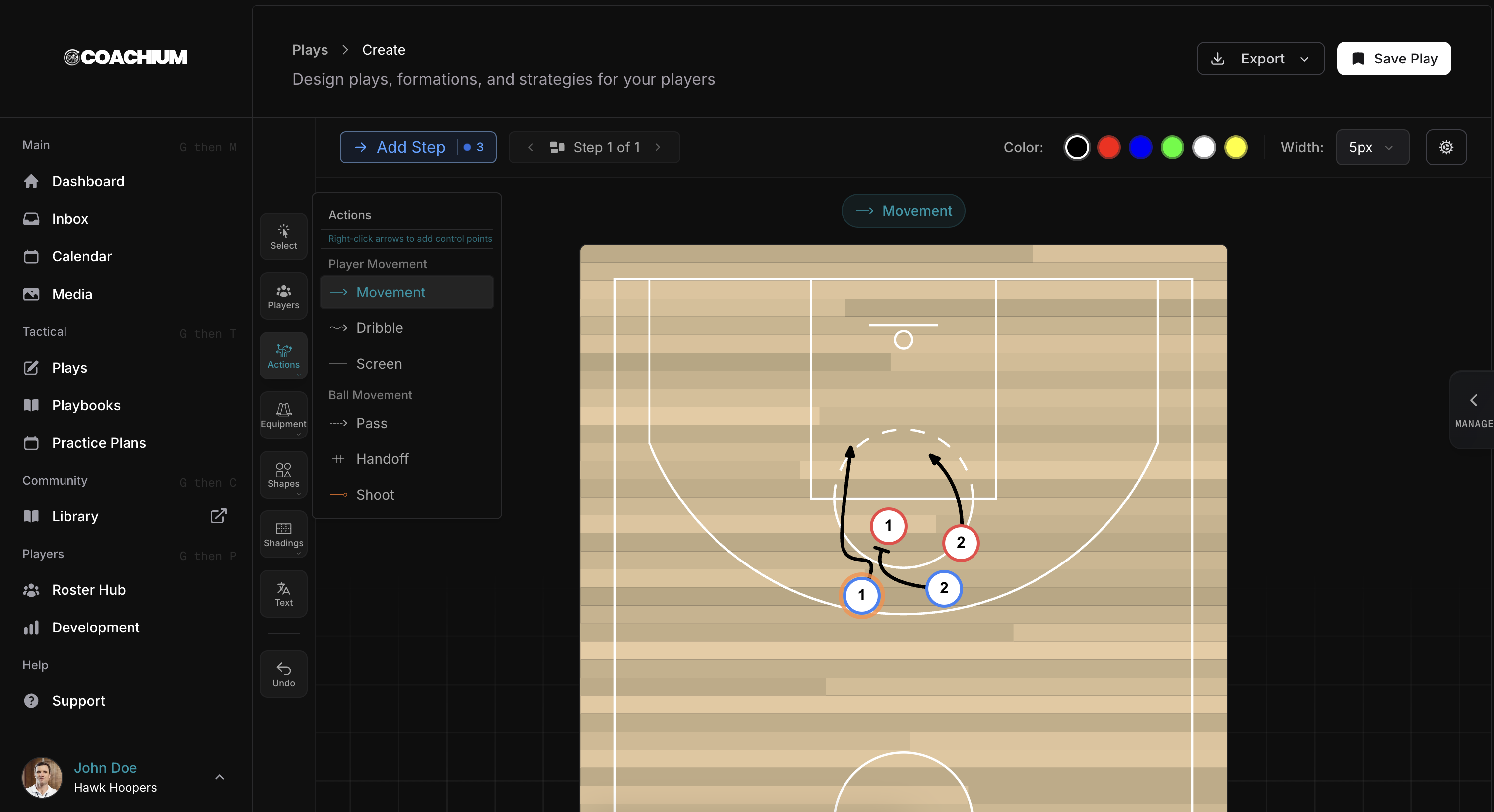
Draw, animate and share basketball plays.
Design your custom court
Create branded courts with your own colours, markings, zones, and logos. Export them or save them as templates for future plays.
Create diagrams and animated plays
Create a single static diagram or build a multi-frame play that runs as a complete animation.
Time every action on a precise timeline
Use the timeline to set the start time and duration of each cut, screen, pass, and shot so movements overlap naturally.
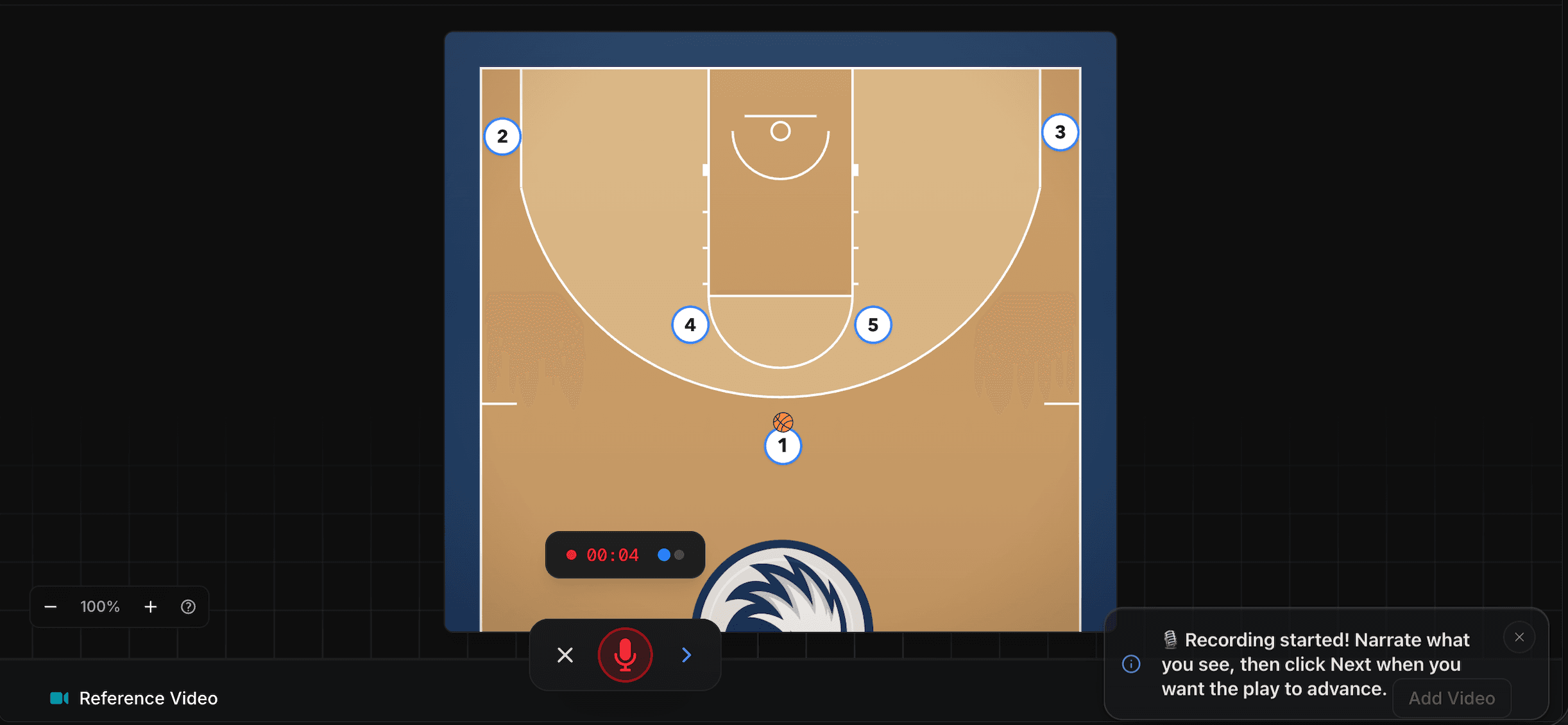
Explain the play with voice-over
Record coaching audio to explain reads, options, and teaching points while the play runs.
Export and share
Export PNG, PDF, or MP4 files, add plays to a playbook, or publish them for players to review.
Create your first play
Pick a plan and open Play Creator.
“Coachium is a game-changer! It’s incredibly quick and easy to use, and I now have all of my plays and playbooks in one organized place. In end of game moments, being able to pull up exactly what I need in seconds makes a huge difference.”

Build playbooks and plan practices.
Organize your plays into fully customizable, print-ready playbooks. Draw your own practice drills and link them directly to your practice plan templates.
Explore playbooks and practiceBuild the playbook
Customize every page, collaborate with other coaches, and prepare polished game-day material for clear, stress-free end-of-game coaching.
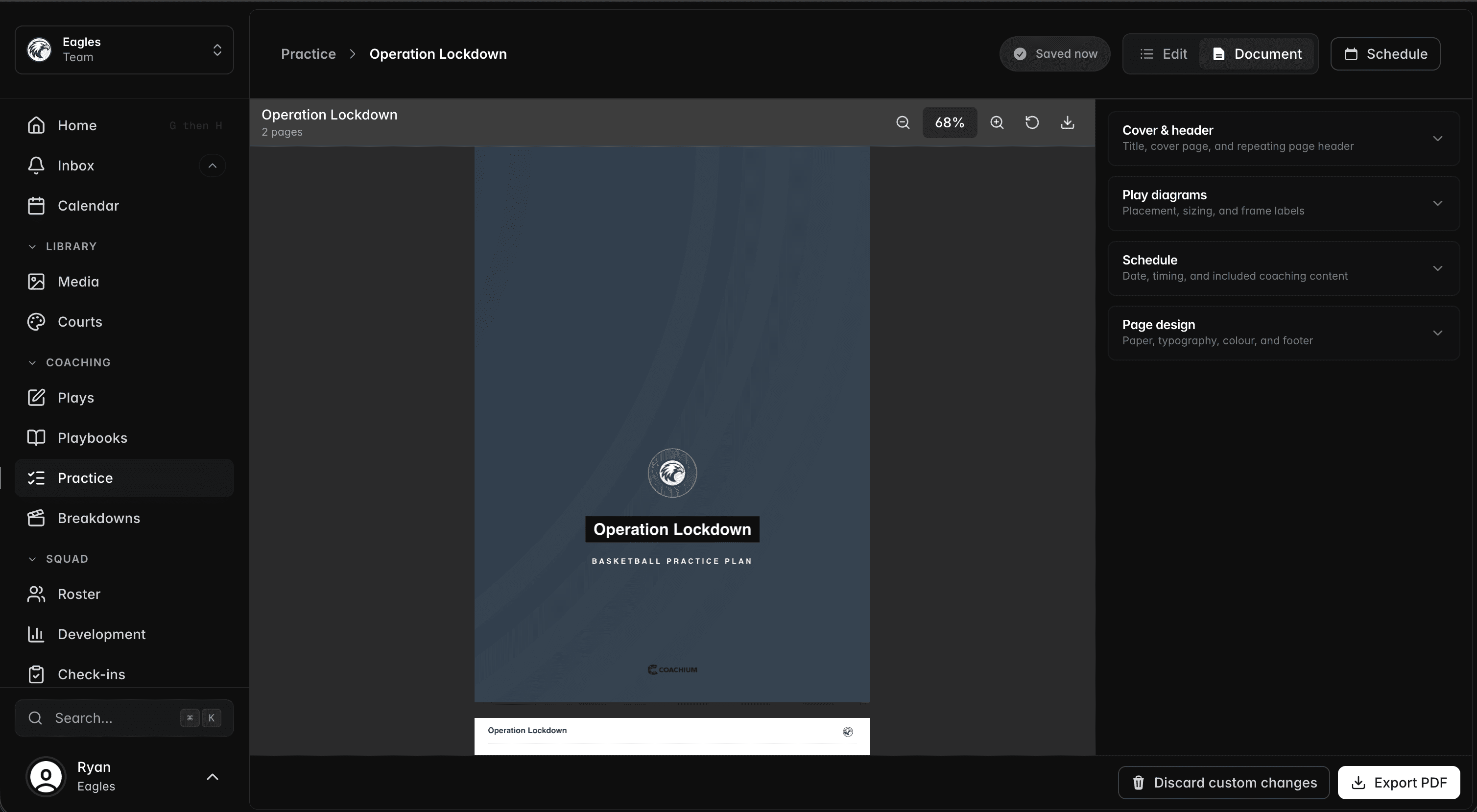
Plan your practices
Combine timed activities, equipment, groups, notes, and linked plays, then schedule or export the finished practice.
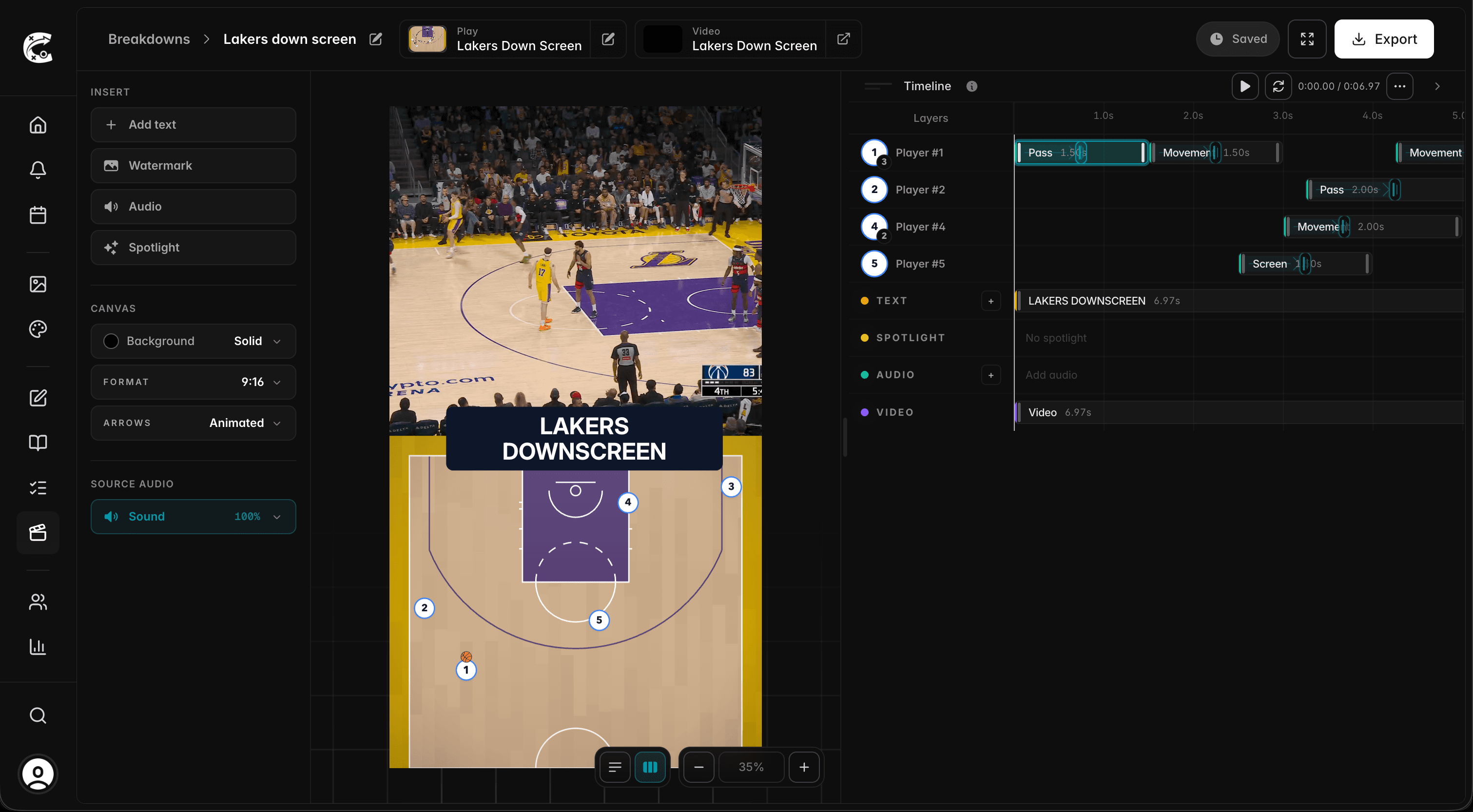
Turn game film into teaching clips or social media content.
Your game film and your animated play on the same timeline, in sync, exported as an MP4 built for the film room or social media.
Explore Breakdown Studio- One timeline
- The clip, the play animation, text, and audio are edited together in one place.
- AI player tracking
- Click the players you want to follow and the highlight tracks them through the clip. Add captions and a voice-over, or keep the game audio.
- Export anywhere
- MP4s made for the film room, or reel format for Instagram and TikTok.
Everything you need to coach, in one place.
Starter covers the solo coach: plays, playbooks, practices, and film breakdowns. Team runs the whole program: staff seats, development plans, check-ins, the calendar, and a portal for every player.
Manage your roster. Keep every player connected.
Manage your roster in one place, and every part of Coachium works from it: development plans, check-ins, and what each player can see. Players get their own portal for responding and reviewing what you share.
Explore roster and player toolsPlayer Portal
Give players a focused place to answer check-ins and review what their coaches share.
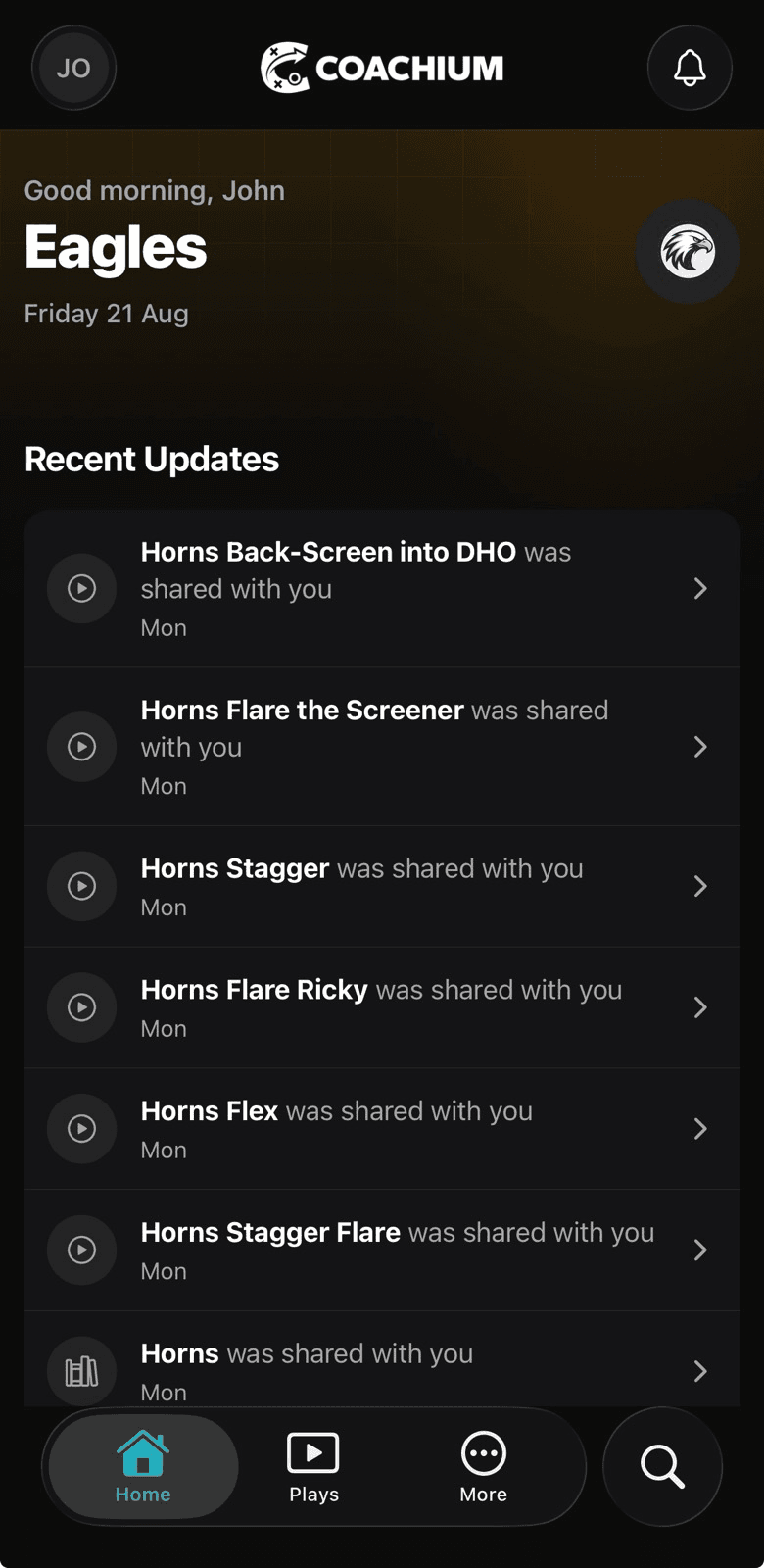

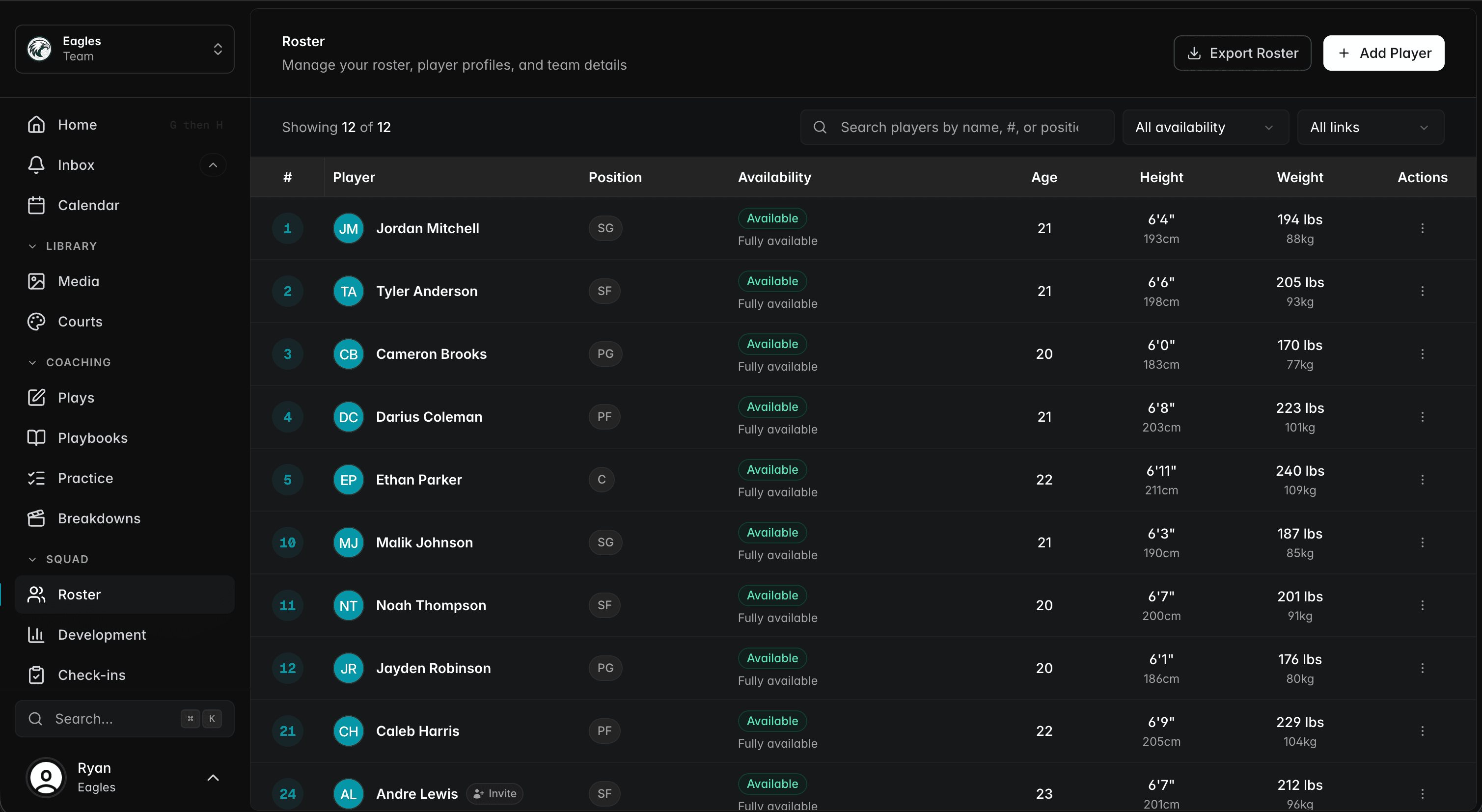
Roster Hub
Add and manage the team in one central place, ready to use across Coachium.
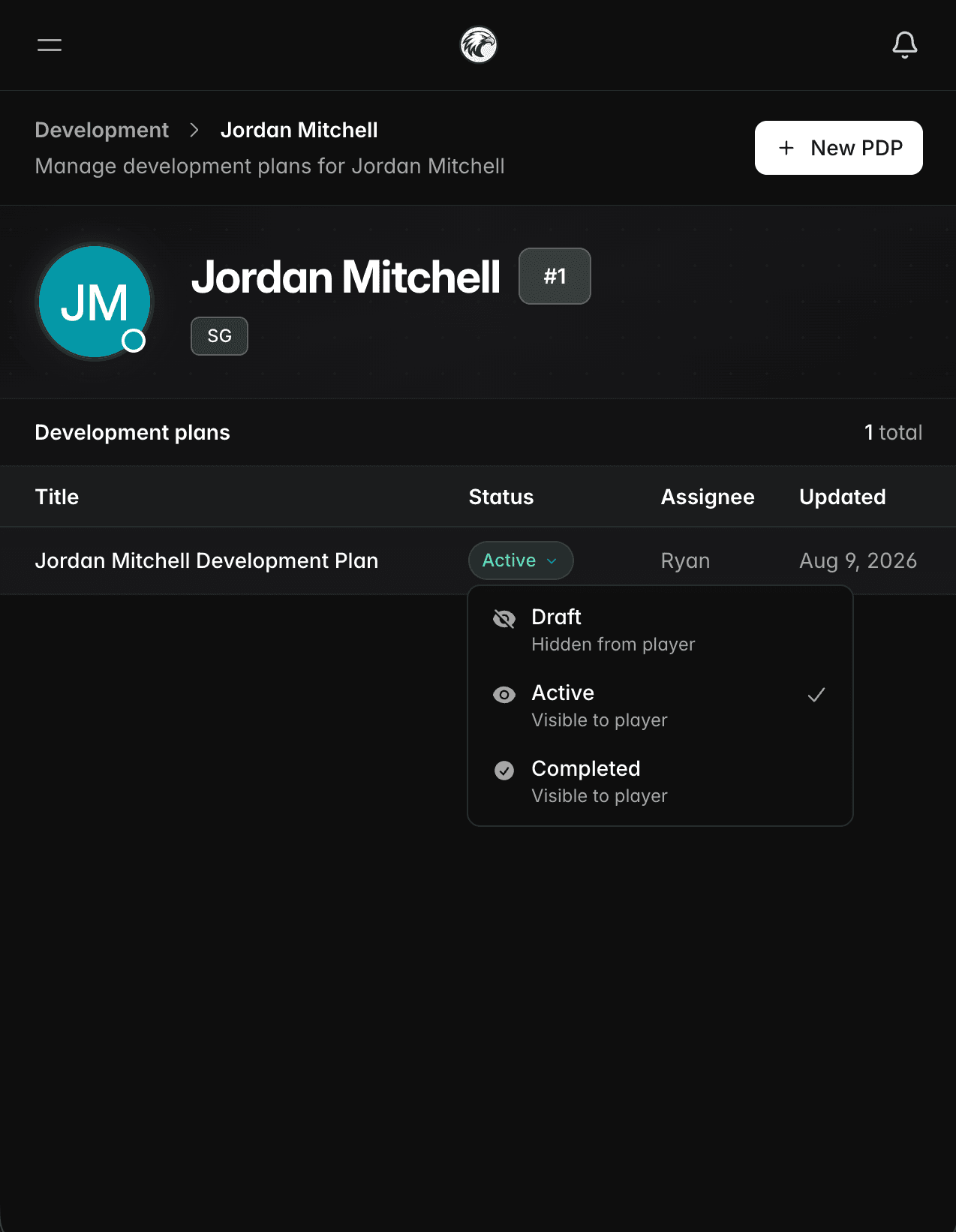
Connected from coach to player
Share plays, playbooks, development plans, files, and events with your players. Publish something and it appears in their portal.
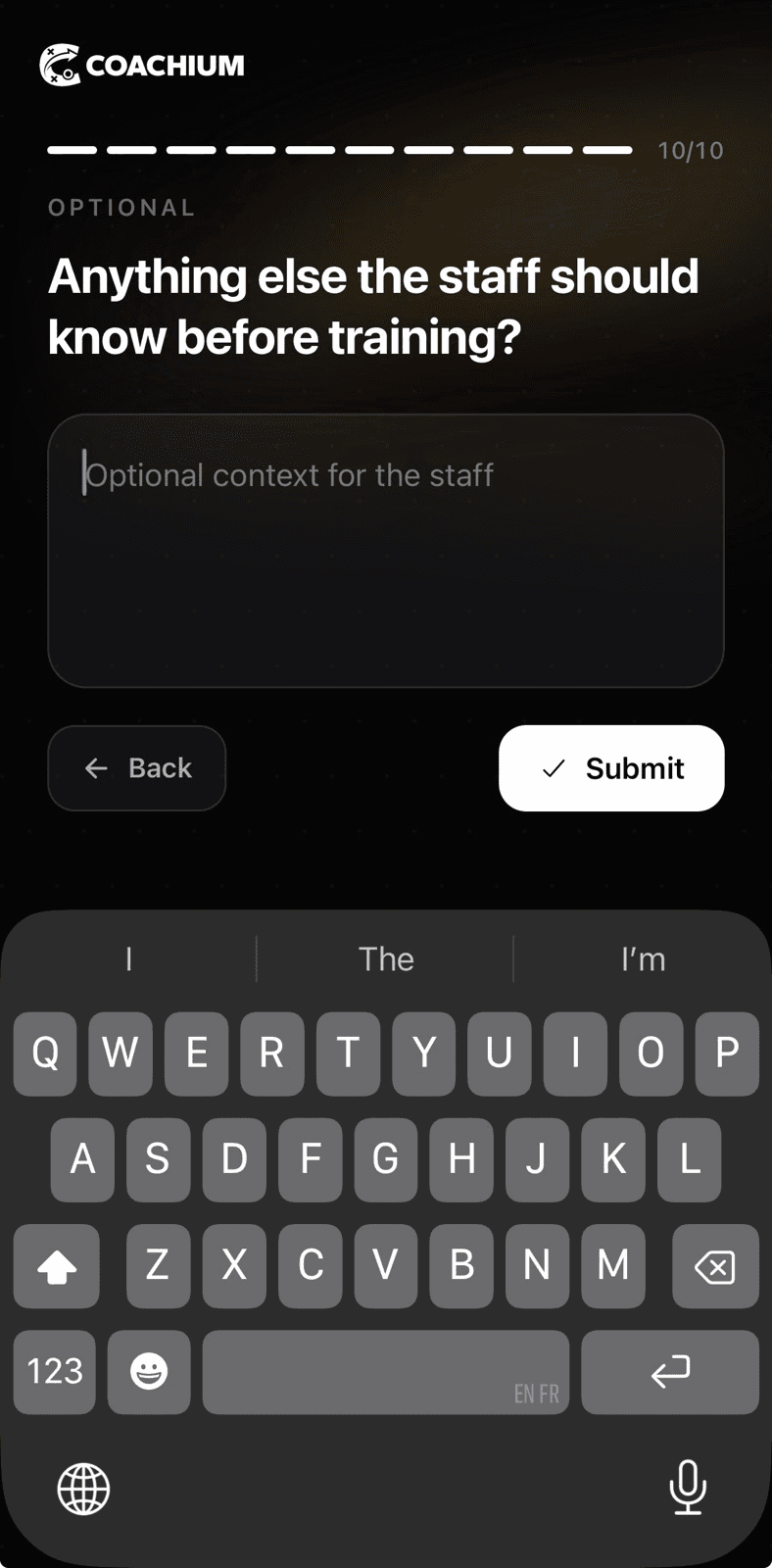
Check-ins
Schedule questions, track responses, and spot who may need a conversation.
Hear from more coaches.
“Coachium has a clean user interface that has allowed me to become efficient when organizing any coaching staff or player material. From roster management, PDPs and practice plans to designing and creating a special situation ATO playbook, this app has streamlined my workflow keeping everything I need under one umbrella.”

“Very intuitive and enjoyable to use. Coachium provides a platform where I can make plays for my team in diagram and video form and has changed the way I present these. I can add voiceovers and video examples to each play/activity. I am looking forward to using it more and using the various different features.”

“Coachium feels like you are using your whiteboard! Playbooks, diagrams, animations and practice plans to share with your players and the coaching team.”

Create and publish player development plans.
Build each PDP from a reusable template, keep staff notes private, and publish the finished plan straight to the player.
Explore Player Development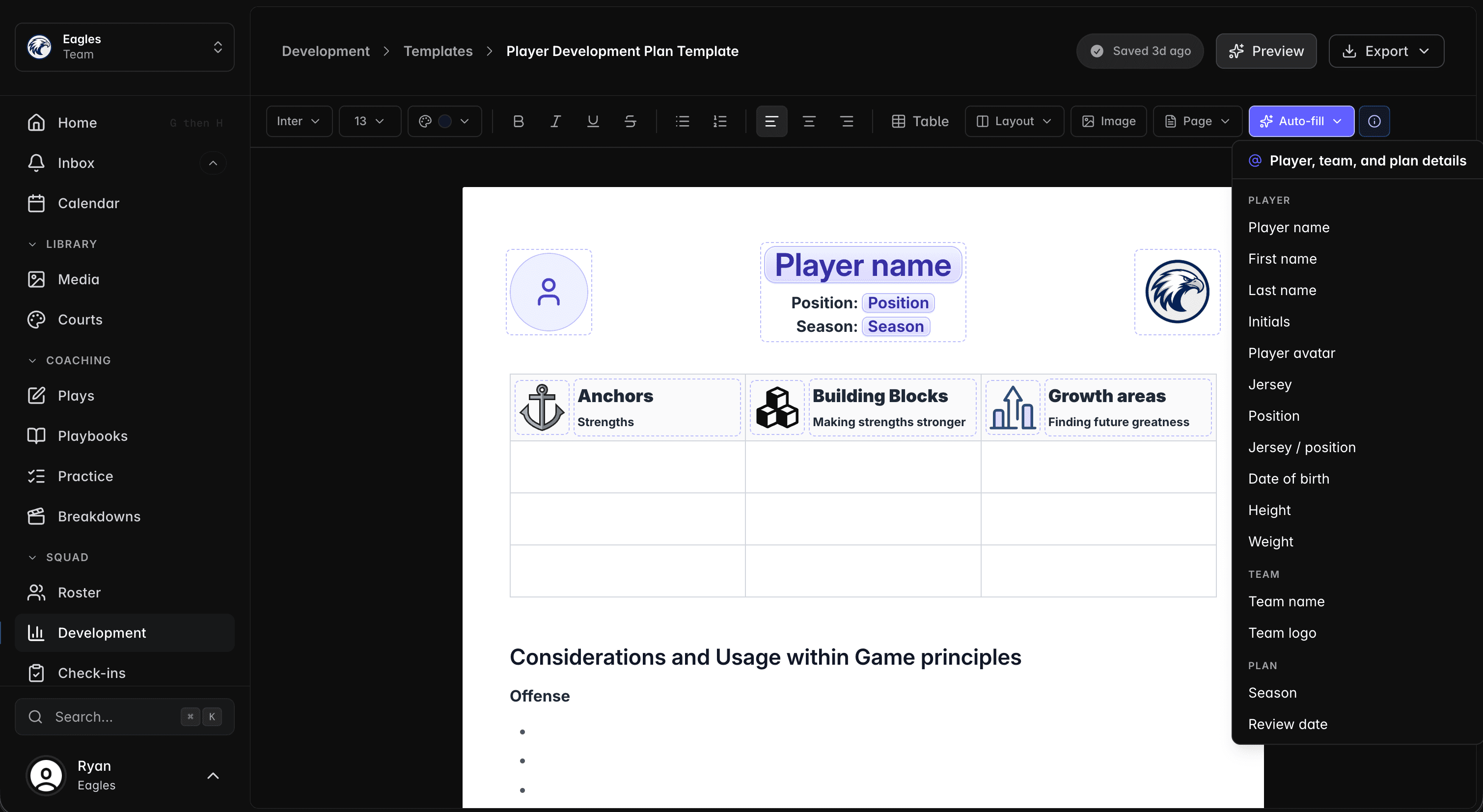
Simple pricing, clear tiers.
Use Starter for individual coaching tools, or Team for rosters, player access, and staff collaboration. No add-ons, no sales calls, and no hidden pricing.
Starter
Perfect for individual coaches getting started.
- Get started with:
- 1 active user
- Play Creator (with MP4 exports)
- Play Template Library
- Shareable play links
- Playbook organization (with PDF exports)
- Practice Plan Builder
- Breakdown Studio
- Player roster management
- Media library
- Custom court designs
- 50GB Storage
Team
Great for coaching staff and small organizations.
- Everything in Starter, plus:
- Up to 20 active users
- Player Development Plans (PDPs)
- Player evaluations & check-ins
- AI Writing Assistant (for practice plans & PDPs)
- Voice-over recordings for plays
- Team announcements & notifications
- Calendar & event scheduling
- 250GB Storage
Pro
For established organizations with advanced needs
- Everything in Team, plus:
- Up to 100 active users
- Advanced Analytics & Reporting
- Scout Reports & Game Analysis
- White Label Branding
- Custom Integrations & API Access
- Multi-Season Data Management
- Priority Support
- 1TB Storage
14-day money-back guarantee. Not the right fit? We'll refund you.
Coachium for iOS and Android.
Access your plays, playbooks, and coaching workspace on the go with the Coachium app, coming soon.
Coming soon
Product updates.
New features, fixes, and the occasional note from the team.